How it works
It starts with the machines on your desk.
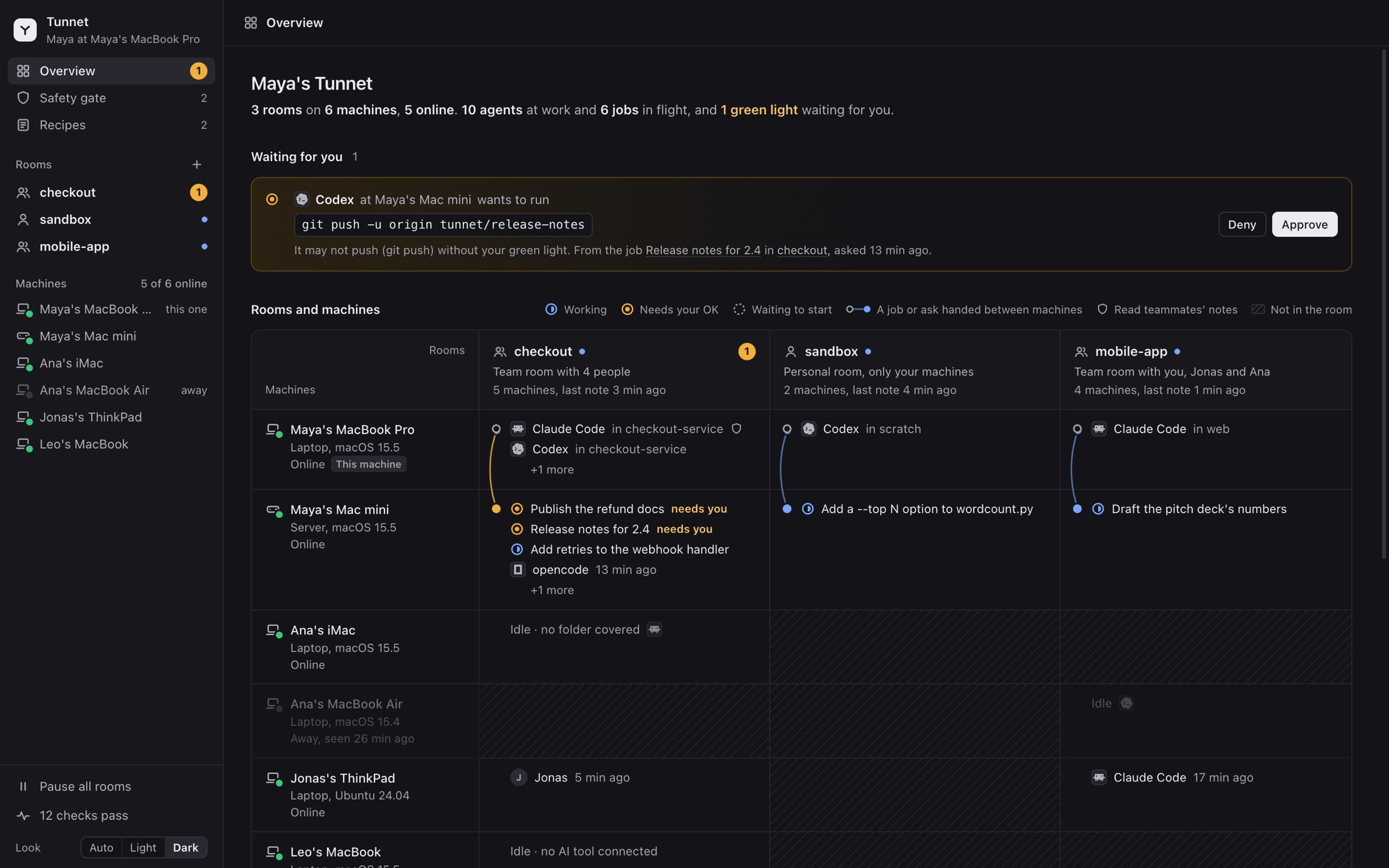
Today, Tunnet joins the AI coding agents on your machines and your teammates' into one room, with notes they share, jobs they hand each other and a green light that stays yours.
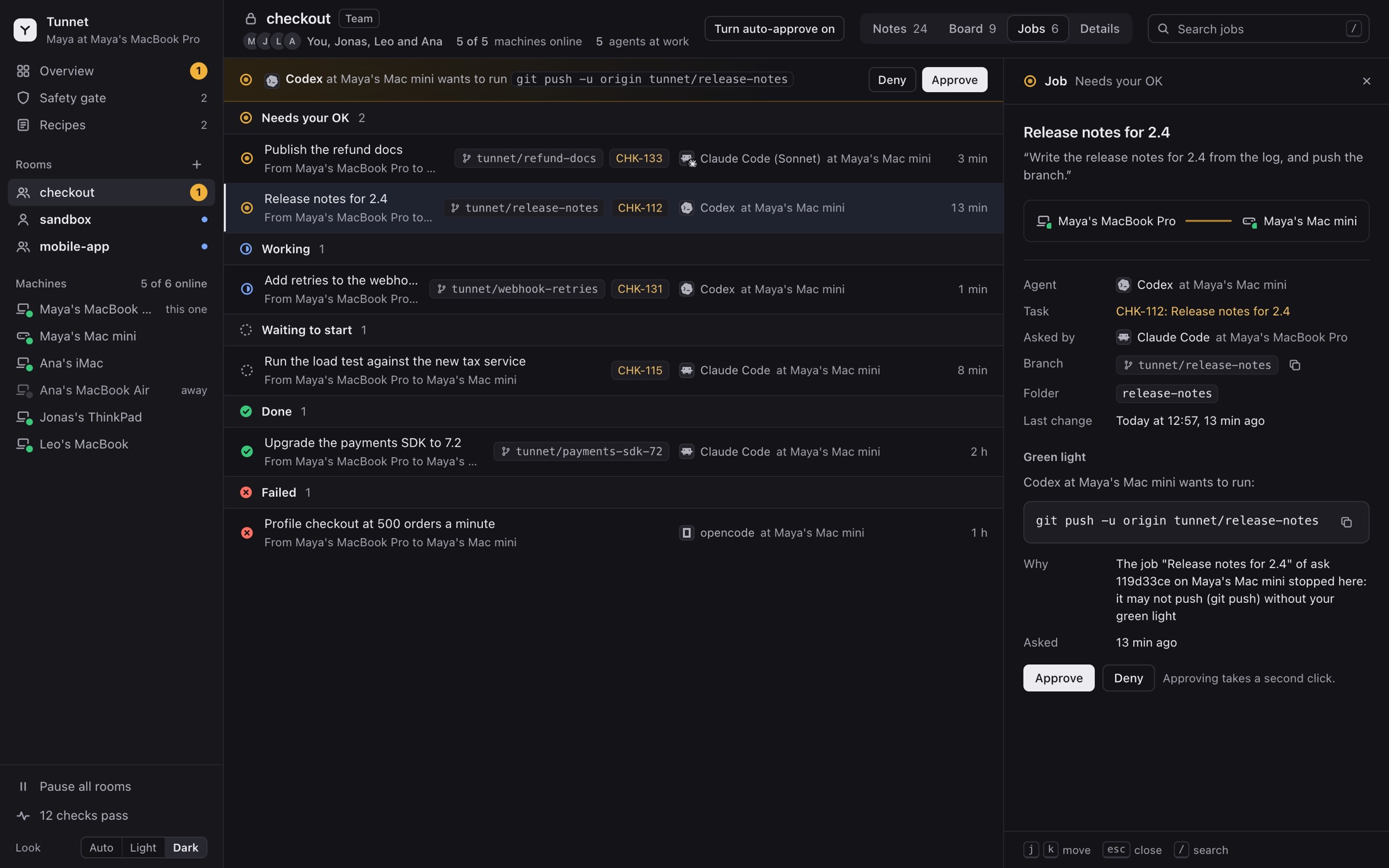
Its Map is a page on your own machine, not a site you log into: every room, the machines in it, the agents at work, the jobs moving between them, the task board, and anything waiting for your green light.
One handoff, word for word.
You ask Claude Code on your laptop. The job runs on the Mac mini, and the push waits for you.
youRun the integration tests on the Mac mini. If they pass, push the fix.
claudeHanding this to the Mac mini through Tunnet.
tunnetAsked your Mac mini to do it as a job, ask 8d69c885: it works in a folder of its own, webhook-retries, on the branch tunnet/webhook-retries, and may write only there; anything else waits for your green light.
codexRunning the integration tests in webhook-retries.
codex486 passed, 0 failed, 41 s. Committed the fix on tunnet/webhook-retries.
tunnetThe job wants to push tunnet/webhook-retries to origin. That step waits for your green light on the Map.
you approve it on the Map, with Touch ID
tunnetGreen light given. The push may go.
codexPushed tunnet/webhook-retries to origin.
claudeThe tests passed on the Mac mini and the fix is pushed. The job's notes are in the room.
Every task on one board
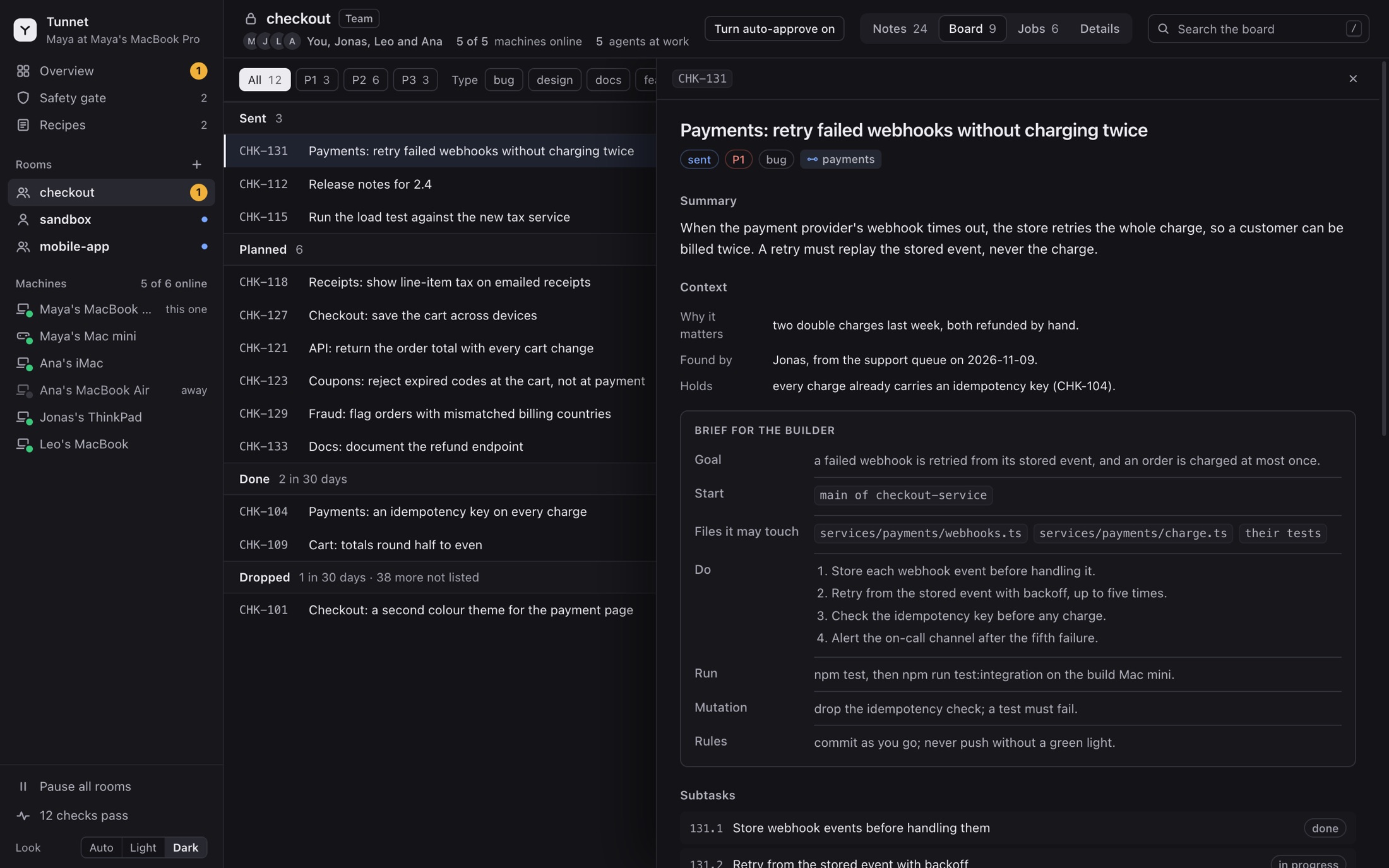
Every task is a card: what it is and why, a brief for whoever builds it, its subtasks and what done looks like. Open one and it slides in beside the list, with the jobs that worked on it a click away.
Jobs go where the power is. The decision stays yours.
Hand a job to another machine and it runs there in its own folder, on its own branch, writing only there. When it wants to push, delete or reach the network, it stops and asks on the Map, and on a Mac your green light is one touch of Touch ID. Auto-approve can let a clean job's steps through, but only inside a sandbox.